A supplier goes dark on a Friday night. You have 40 active customers, no backup panel, and your inbox is filling up faster than you can read it. That scenario plays out constantly in this industry, and almost every time it happens, the reseller on the receiving end had the same problem: they never fully understood what they were running in the first place.
Getting your IPTV reseller technical setup right from the beginning is not about following a trendy tutorial — it is about understanding each component well enough that when something breaks, you know exactly where to look. Most new resellers skip the technical foundation entirely, copy a panel login from their supplier, and start selling within 48 hours.
Then month two hits, churn climbs past 35%, and they have no idea whether the problem is their supplier, their network, their player configuration, or something they misconfigured in the panel. This guide covers what the technical setup actually contains, what you control versus what your supplier controls, and what you need to verify before a single paying customer touches your service.
What Your Reseller Panel Actually Contains and What You Control
Most documentation around reseller panels is either a sales pitch or a five-second walkthrough video that skips every important detail. The panel is the operational core of your business. Understanding what lives inside it — and what does not — is the first thing you need to get right.
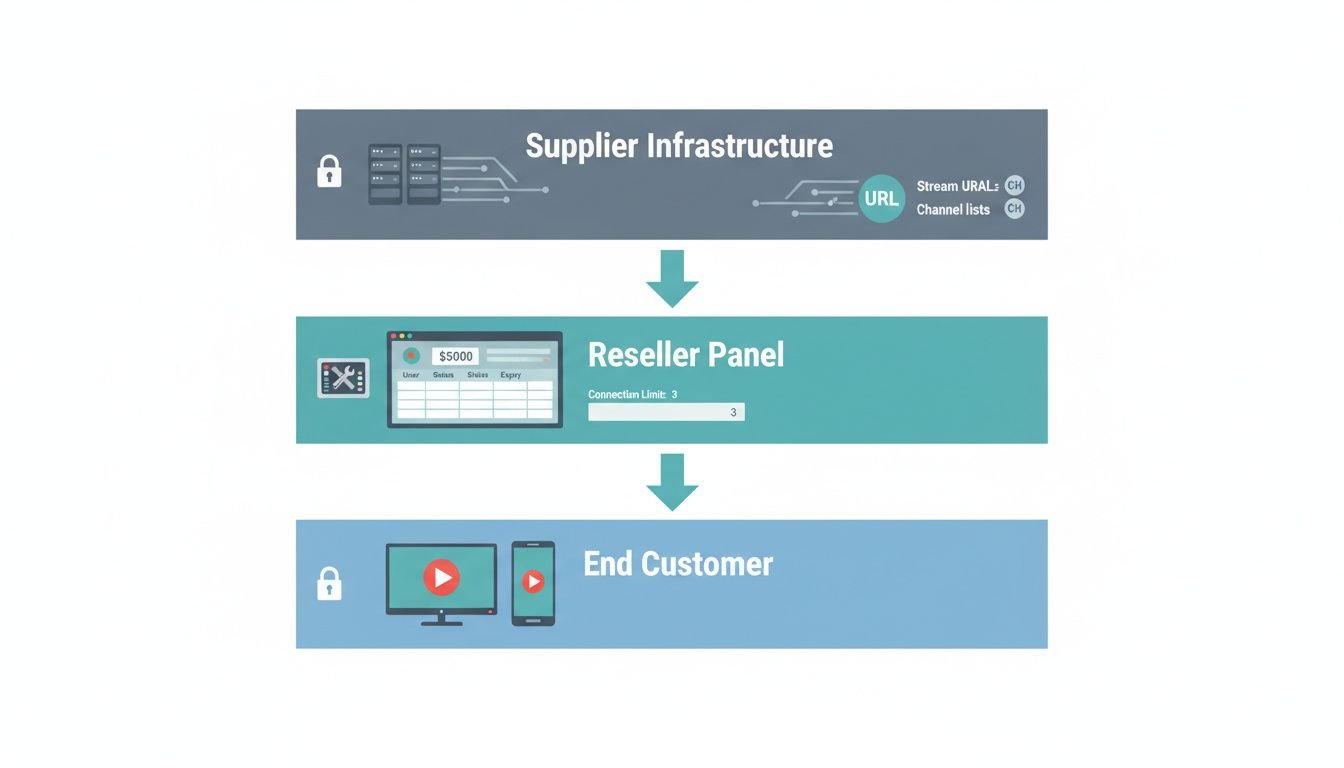
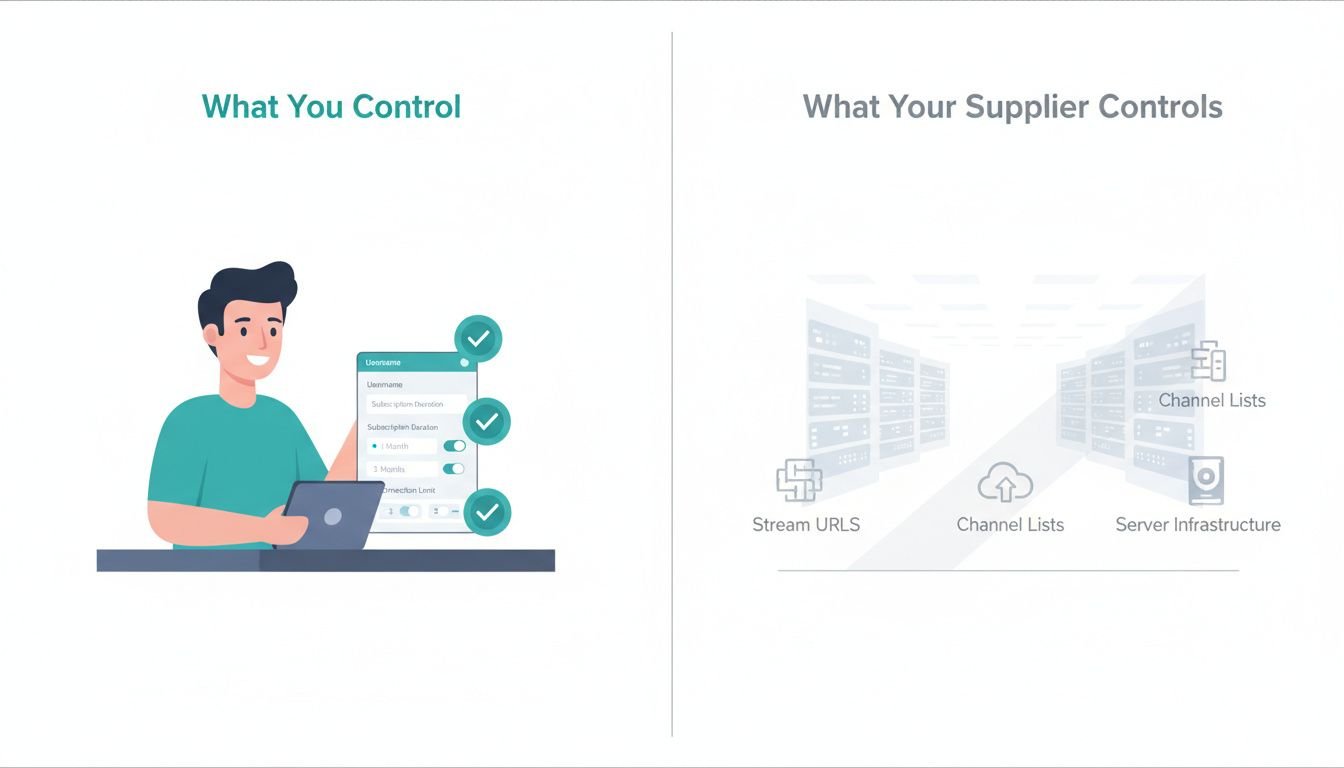
A standard reseller panel gives you a dashboard with a credit balance, a user management interface, and a set of configuration fields for each subscription you create. When you add a new customer, you are typically filling in a username, a password, a subscription duration, and a connection limit. That is roughly it on the reseller side. The channel list, the stream URLs, the server infrastructure — none of that is yours. Your supplier controls it. You are essentially creating access credentials that point to their infrastructure.
The credit system is where most new resellers get confused. Credits are not a currency in any flexible sense. One credit typically equals one month of one active subscription. A 12-month subscription costs 12 credits, deducted immediately when you create it. If that customer cancels in month two, those credits are gone. There is no automatic refund mechanism in most panels. This is why your refund policy has direct cost implications for you, not just your customer — something you need to factor in when you calculate your IPTV reseller profit margin.
Connection limits are set per subscription. If a customer has a one-connection plan and tries to stream on two devices simultaneously, the second device gets blocked. You set this limit when creating the subscription. Some panels let you modify it after creation; some do not. Test this on your supplier’s panel before you sell a multi-connection plan, because discovering the limitation after a customer complaint is an expensive way to learn.
You also need to understand what the panel does not contain. There is no content moderation layer on your side. There is no failover logic you can configure. If your supplier’s server goes down, your panel will show active subscriptions with zero streams available. The panel does not know the server is down — it just knows the credentials exist. That gap between panel status and actual service availability is something customers will call you about at 11pm on a Saturday.
Admin Access Levels and What Your Supplier Keeps Locked
Reseller accounts sit one level below the master panel admin. Your supplier has access to server configuration, stream source management, and the ability to suspend your entire reseller account with a single click. You have access to creating and managing individual user subscriptions within the credit balance they allocate to you.
You cannot see their server infrastructure, you cannot change channel sources, and you cannot move your customers to a different supplier without creating entirely new credentials for each one. That dependency is real and it is worth understanding before you build a customer base of 200 people on a single supplier relationship. For a practical framework on evaluating that relationship before you commit, read how to choose a wholesale IPTV supplier.
M3U vs MAG Provisioning: The Operational Difference That Matters for Your IPTV Reseller Technical Setup
The M3U versus MAG distinction gets mentioned in almost every IPTV overview, but nobody explains what it actually means when you are sitting in the panel provisioning a subscription. The difference is not just a format preference — it changes what the customer receives, what device they can use, and what support questions you will be answering.
M3U provisioning means the customer receives a URL, specifically a playlist URL that a compatible player can load to access the channel list. The URL typically looks something like http://server.domain:port/get.php?username=X&password=Y&type=m3u_plus. The customer copies that URL into their player of choice — VLC, TiviMate, IPTV Smarters, Perfect Player — and the player fetches the channel list from the stream server.
The reseller’s job is to give the customer that URL and the EPG URL if they want a programme guide. That is the entire provisioning interaction. Simple on the surface, but it creates a support burden because players behave differently, buffering settings vary by app, and customers will blame you for app-level problems that have nothing to do with your streams.
MAG provisioning works through device MAC addresses. A MAG box or a compatible app like STB Emulator has a hardware or software MAC address. You enter that MAC address into the panel when creating the subscription, and the system ties that device to the account. The customer does not receive a URL — their device authenticates automatically when it connects to the portal URL.
This is cleaner for the customer experience but creates a different support problem: if someone gets a new device or resets their box, you need to update the MAC address in the panel. If your supplier charges credits for re-provisioning, that has a cost.
From a technical management perspective, M3U subscriptions are faster to provision and easier to troubleshoot remotely. You can test the stream URL yourself before sending it to the customer. You can verify whether a buffering issue is on the stream side or the player side by loading the same URL in two different players. With MAG, you are more dependent on the customer accurately reporting what their box is doing. For a deeper comparison of how these models affect your wholesale sourcing decision, the breakdown in M3U vs IPTV panel: which wholesale model fits your setup covers the tradeoffs in detail.
EPG Configuration and Why Most Resellers Get It Wrong
EPG — Electronic Programme Guide — is the TV guide data that shows customers what is on and what is coming up. Most resellers either ignore it or paste whatever EPG URL their supplier gives them without testing it. The problem is that EPG data has to match the channel naming in the M3U playlist. If the channel in the playlist is named “BBC One HD” and the EPG source uses “BBC1 HD”, the guide data will not populate for that channel. The customer sees an empty grid and calls it broken.
Your supplier should provide an EPG URL alongside the M3U URL. Test it in TiviMate or IPTV Smarters before sending it to customers. Load the playlist, load the EPG URL, wait for the guide to populate (it can take several minutes on first load), and check whether major channels are showing correct programme data. If they are not, ask your supplier for an alternative EPG source or check whether there is a separate XMLTV-format EPG URL available from their panel. This is a five-minute test that eliminates a common support ticket category entirely.
Internet Infrastructure Requirements from the Reseller Side
Every source covering IPTV technical requirements focuses on the end-user’s internet connection. The customer needs 10 Mbps for full HD and 25 Mbps for 4K, as noted in Netflix’s own documentation on how internet connection speed affects video streaming quality — and IPTV streams have similar demands. What nobody explains is what you need on your side as a reseller.
You are not serving streams from your own connection. The streams come from your supplier’s servers. Your internet connection does not affect stream quality for your customers. What it does affect is your ability to test, troubleshoot, and manage the panel. You need a stable enough connection to load your panel reliably, test stream URLs when customers report issues, and run concurrent test streams when verifying a new supplier’s quality. A standard home broadband connection handles this fine. You are not running infrastructure — you are managing access credentials.
Where connection quality matters more is in the testing phase. When a customer reports buffering, your first step is to load their stream URL yourself. If it buffers for you too, the problem is upstream — either the supplier’s server or the specific channel source. If it plays cleanly for you but not for the customer, the problem is local to their network or device. That diagnostic split is only useful if your own connection is stable enough to be a reliable test baseline. A connection that itself buffers or drops intermittently makes troubleshooting significantly harder.
If you are running a reseller operation at scale — say, 150 or more active customers — consider setting up a dedicated testing environment. A cheap VPS running a lightweight Linux instance is enough to host a simple stream testing script that you can trigger remotely. DigitalOcean VPS pricing and specs start around $6 per month for a basic droplet, and a $12-per-month instance gives you enough to run basic stream health checks without any significant overhead. It is not required at the start, but it becomes useful faster than most resellers expect.
The Billing and Storefront Stack That Does Not Break Under Pressure
The technical side of selling subscriptions is where many IPTV reseller technical setups fall apart. Resellers piece together a WordPress site, a payment plugin, and a manual provisioning workflow, and it holds together until they hit 30 customers and start spending three hours a day on manual admin. The goal is to have a stack that handles payment, subscription creation, and renewal reminders without requiring you to touch it for every transaction.
WordPress with WooCommerce is the most common foundation because it is cheap, flexible, and has the widest plugin ecosystem. The problem is that WooCommerce alone does not handle subscription renewals or IPTV-specific provisioning. You need either a WooCommerce Subscriptions plugin or a purpose-built IPTV billing module that connects to your panel’s API. Without an API connection, every sale still requires you to manually create the subscription in the panel and send the credentials. That is fine for five customers. It is not fine for fifty.
WHMCS is the more serious option for resellers who expect to scale. It handles recurring billing, automated provisioning via module integration, and client portal management. The learning curve is real — the WHMCS billing platform documentation is extensive — but once configured correctly, it removes most of the manual work from subscription management. The cost is higher than a basic WordPress setup, but if you are planning to run more than 100 active subscriptions, the time savings justify it quickly. For a broader look at building the business structure around this, how to start an IPTV reseller business in 2026 covers the full picture.
Payment Processing Reality for IPTV Resellers
Payment processing is the part of the IPTV reseller technical setup that gets politely skipped in most guides because the honest answer is uncomfortable. Stripe and PayPal will freeze accounts in this space. Not might — will, if you get enough chargebacks or if they identify the business category. The chargeback rate in IPTV reselling runs high because customers dispute charges when services have downtime, when they forget they subscribed, or when they want a refund and find the process too slow. A chargeback rate above 1% triggers review at most processors. Some IPTV resellers hit 3-5% in their first quarter.
The practical options are crypto payments, which are immune to chargebacks but reduce your conversion rate because not every customer wants to deal with crypto; high-risk payment processors, which work but charge 4-8% per transaction instead of the standard 2.9%; and offshore payment solutions, which carry their own compliance risks. Most resellers running at any real scale use a combination: a mainstream processor for as long as it lasts and a crypto option as a permanent parallel track. Build your billing system to support both from day one, because switching payment processors mid-operation while keeping active subscriptions running is a significant headache.
Pre-Launch Testing Protocol Before Your First Paying Customer
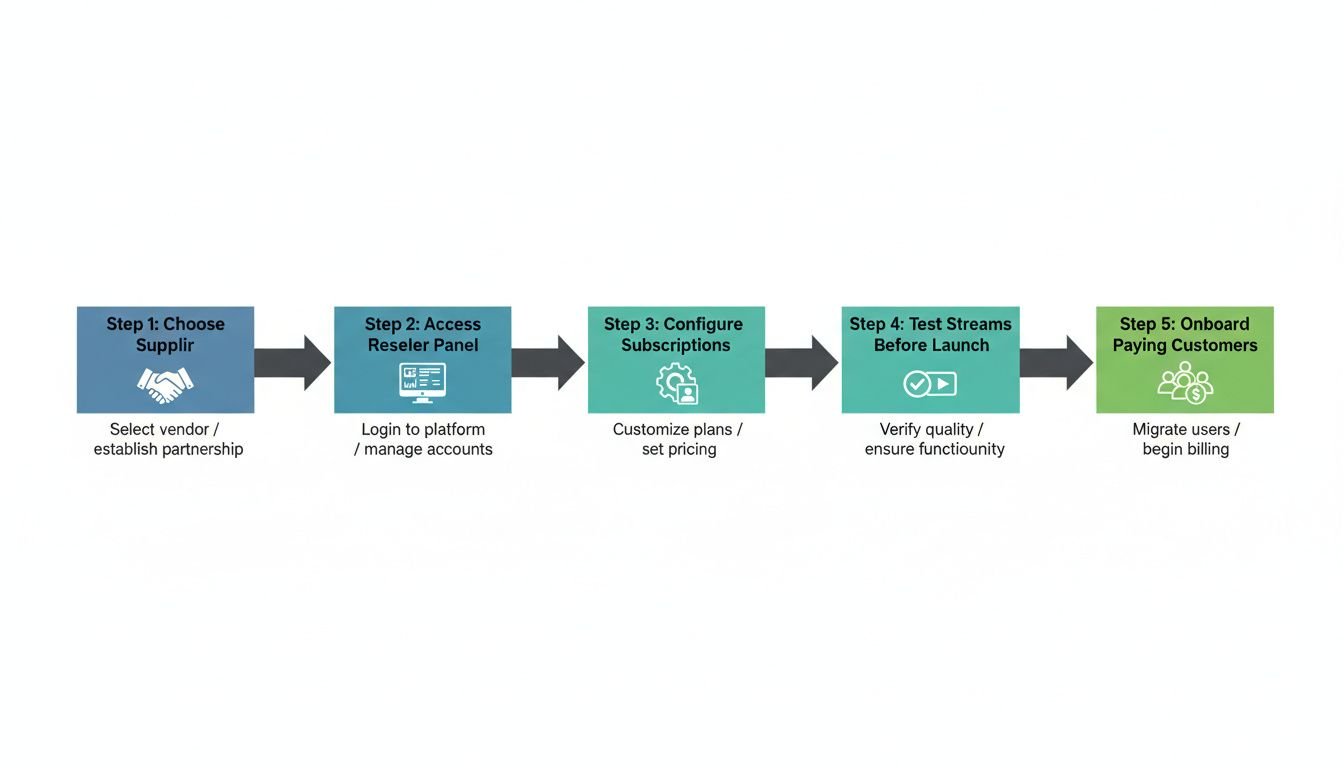
Most resellers do zero structured testing before going live. They get their panel login, create a test subscription, check that one channel loads, and start selling. Six weeks later they are dealing with a customer base that has discovered every edge case the reseller never tested for. Running a proper pre-launch test takes less than two hours and eliminates the most common early-stage support problems.
Start with stream quality across multiple categories. Load your M3U URL into TiviMate or IPTV Smarters and check at minimum: live sports (high-motion, high-bandwidth), a 4K channel if your supplier offers them, a news channel (low-motion, good baseline test), and a VOD title if your plan includes video on demand. Note any buffering, pixelation, or channels that fail to load. If more than 5% of channels fail to load on first test, that is a signal worth raising with your supplier before you have paying customers depending on the service.
Test the connection limit enforcement. Create a two-connection subscription and try to stream on three devices simultaneously. Verify the third device is actually blocked. Some panels claim to enforce connection limits but do not do so reliably, which means customers on single-connection plans will share their credentials and you will have no way to stop it. That directly affects your cost per active stream.
Test the renewal flow. Create a short-duration test subscription, let it expire, and check what the customer experience looks like. Does the stream simply stop? Does the panel show an expired status? Can you renew without losing the credentials? These are questions your customers will ask when their subscription ends, and you need to have experienced the process yourself before you are explaining it to someone who is frustrated that their TV stopped working.
Also verify what happens to credits when a subscription expires mid-term — panel behaviour varies significantly between suppliers, and this directly affects your operating costs. For a comparison of wholesale supplier options that handle these mechanics reliably, the best IPTV M3U wholesale suppliers for resellers roundup is worth reviewing alongside your own testing results.
Frequently Asked Questions
What do I actually need to set up an IPTV reseller business technically?
You need a wholesale supplier account, access to a reseller panel or M3U credentials, a domain, hosting for your storefront, a billing or order management system, and a payment gateway. Most resellers also need a basic support workflow. None of these require advanced technical skills, but each step must be completed in the right order.
Do I need a VPS or server to resell IPTV?
Not always. If your supplier provides a hosted reseller panel, you manage everything through their dashboard with no server required. A VPS becomes necessary only if you run your own WordPress or WHMCS billing site, or if you want to host custom landing pages. Entry-level VPS plans on DigitalOcean or Vultr run $15–20 per month.
What internet speed do I need to test and support IPTV streams?
For testing streams yourself, you need at least 10 Mbps for full HD and 25 Mbps for 4K content. Your customers' speeds matter more than yours operationally, but you should be able to replicate their viewing conditions when troubleshooting. A stable, low-latency connection matters more than raw download speed.
What is the difference between M3U and MAG setup for resellers?
M3U delivers streams via a URL loaded into any compatible player app. MAG uses a device-bound license tied to a set-top box MAC address. Operationally, M3U is more flexible and works across more devices, while MAG requires you to collect and register each customer's MAC address. Most resellers start with M3U because it is easier to provision and support.
How do IPTV reseller credits work in a panel?
Credits are the currency you buy from your wholesale supplier to create customer subscriptions. A common structure is 12 credits per one-year subscription. You purchase a credit bundle upfront at wholesale cost, then spend credits each time you activate a line. Your profit comes from charging customers more per subscription than the credit cost per line.